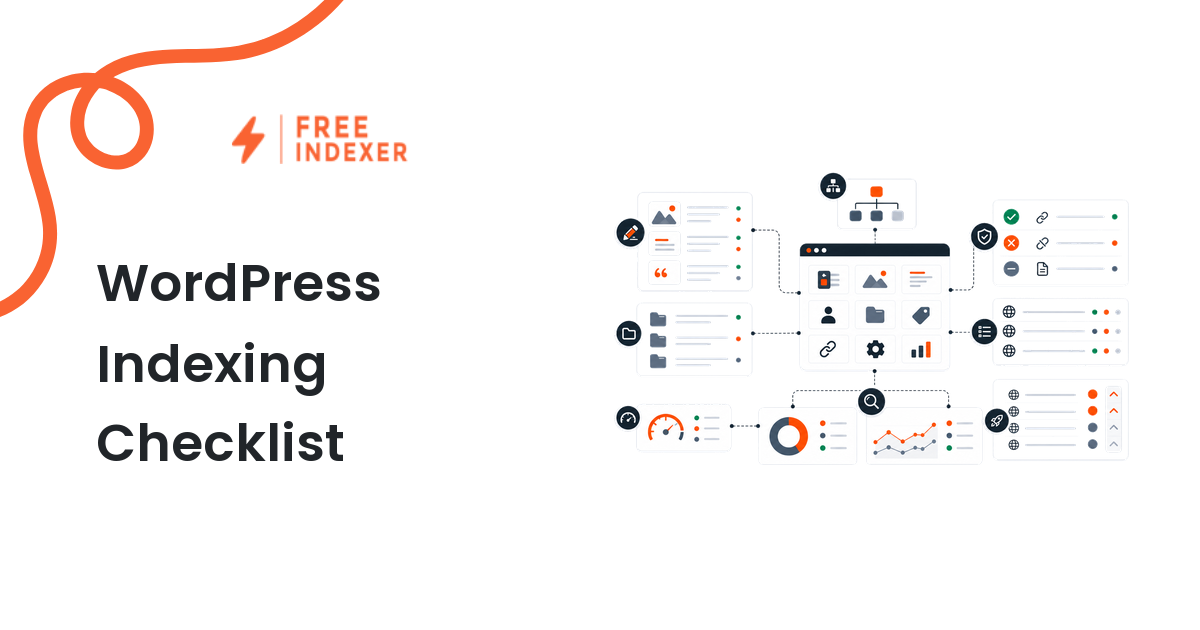
WordPress indexing problems usually come from settings, templates, plugins, internal links, or weak page quality. The fix is not to submit the same URL repeatedly. The fix is to confirm the page is ready to be discovered.
Start with the indexing education hub if you want the general model. This checklist is for WordPress site owners and webmasters reviewing posts, pages, categories, and sitemap URLs.
The Short Answer
A WordPress URL is ready for indexing follow-up when it is published, crawlable, indexable, canonical, internally linked, present in the right sitemap, and useful enough to satisfy a real query.
If Search Console says the URL is submitted but not indexed, use this checklist before escalating. The submitted URL not indexed guide can help with that specific status.
WordPress URL Types To Review
| URL type | Common issue | Review priority |
|---|---|---|
| Blog post | Thin content, no internal links, weak intent match | High if it targets a real query |
| Page | Hidden from navigation or missing sitemap inclusion | High if it is a service or product page |
| Category archive | Duplicated or thin archive content | Medium unless it targets demand |
| Tag archive | Often low-value and duplicate-heavy | Usually low |
| Attachment URL | Can create thin indexable pages | Usually exclude |
WordPress Indexing Checklist
Check each important URL:
- The post or page is published, not draft, private, or password protected.
- The URL returns
200without a long redirect chain. - The SEO plugin is not applying
noindex. - The page-level canonical points to the intended URL.
- The URL appears in the correct XML sitemap.
- The page is linked from navigation, category pages, related posts, or hub pages.
- The title, H1, and intro match the search intent.
- The content has enough original value to deserve discovery.
- The page does not duplicate another post, archive, or tag page.
- Google Search Console does not show a crawl block or conflicting canonical.
If several pages fail the same checks, run a broader technical SEO indexing audit instead of fixing one URL at a time.
Diagnostic Steps
- Inspect the URL in Google Search Console.
- Compare the user-declared canonical with the Google-selected canonical.
- Open the sitemap file and confirm the URL is listed if it should be.
- Check the SEO plugin page settings for noindex or canonical overrides.
- Check whether category, tag, or attachment pages are creating duplicates.
- Add internal links from relevant posts or hub pages.
- Recheck the URL after fixes before submission or follow-up.
Use the Google Search Console indexing guide if you need help reading URL Inspection and Pages report signals.
Example WordPress Scenario
A local business publishes a new service page:
https://example.com/services/emergency-plumbing/
The page is live, but Search Console does not show impressions after two weeks. The owner checks the sitemap and sees the page is included. Then they inspect the page and find it has no internal links except from the footer. The better next action is to link to it from the main services page, a related blog post, and the city landing page before submission follow-up.
FreeIndexer can help once the service page is a qualified priority URL. It should not be used to skip the WordPress checks that make the page discoverable.
Common WordPress Mistakes
- Leaving
noindexenabled after a staging or redesign period. - Letting tag archives compete with posts.
- Publishing posts with no internal links from older content.
- Relying on sitemap inclusion as the only discovery path.
- Submitting every post without checking whether it targets a clear search intent.
What To Do Next
| Finding | Meaning | Next action |
|---|---|---|
| Noindex is enabled | WordPress or plugin settings are excluding the page | Remove noindex only if the page should be indexed |
| Wrong canonical | Signals point to another page | Fix canonical or consolidate content |
| Not in sitemap | Discovery signal is missing | Update sitemap or plugin settings |
| No internal links | Search engines have weak discovery paths | Add contextual links |
| Thin or duplicate content | Page may not deserve indexing | Improve, merge, or exclude |
Part Of This Series
This article is part of the Platform SEO Playbooks series.
Recommended path:
- Previous: Shopify Sitemap And Search Console Guide
- Current: WordPress Indexing Checklist
- Next: WooCommerce Category Page SEO Workflow
Series hub: Platform SEO Playbooks
Related guides from other workflows:
FAQ
Why is my WordPress post not indexing?
Common causes include noindex settings, weak internal links, duplicate content, sitemap problems, crawl issues, or content that does not satisfy the query well enough.
Should WordPress tag pages be indexed?
Usually not by default. Tag archives can create duplicate or thin pages unless they are intentionally built as useful landing pages.
Is a sitemap enough for WordPress indexing?
No. A sitemap helps discovery, but internal links, crawlability, canonical signals, and content quality still matter.
Where does FreeIndexer fit?
Use FreeIndexer after you identify important WordPress URLs that are live, indexable, internally linked, and worth follow-up.
Next Step
Audit WordPress posts and pages before adding them to an indexing queue. Good WordPress SEO starts with clean settings and useful internal links.