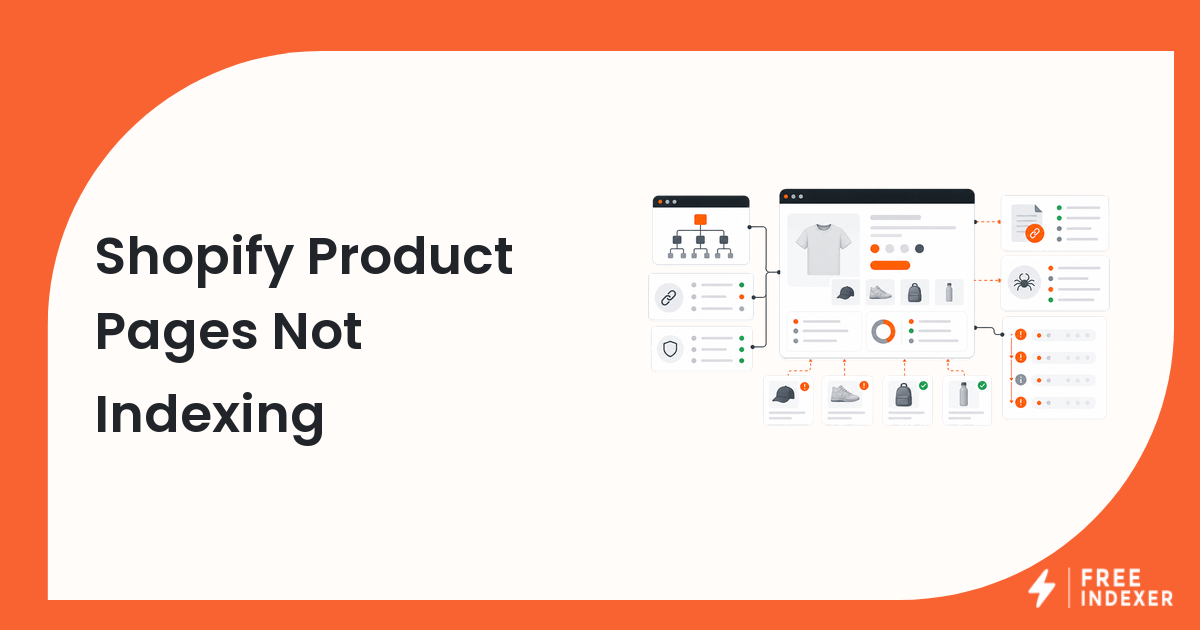
When Shopify product pages are not indexing, the answer is usually not "submit everything again." Product URLs need to be live, indexable, canonical, useful, internally linked, and discoverable before they deserve follow-up.
Use the Shopify SEO indexing checklist for a full store review. This troubleshooting guide focuses on product pages that are already published but still missing from search results or showing weak signals in Google Search Console.
The Short Answer
Shopify product pages usually fail to index because they are blocked, duplicated, thin, poorly linked, missing from important discovery paths, or not useful enough compared with similar URLs. Start with the product URL itself, then check Shopify sitemap behavior, canonical tags, internal links, and Search Console status.
After the product page passes those checks, a priority URL queue can make sense. FreeIndexer fits at that follow-up stage, not before the page is ready.
First Checks For One Product URL
Start with a single product page instead of the whole catalog.
| Check | What to look for | Why it matters |
|---|---|---|
| Live page | The product URL returns a final 200 response |
Google needs a stable URL to crawl |
| Product status | The product is active and available on the Online Store channel | Draft or hidden products may not be discoverable |
| Canonical | The canonical points to the final product URL | Wrong canonicals can consolidate signals elsewhere |
| Content depth | The page has unique descriptions, specs, images, and useful details | Thin duplicate product pages are easier to ignore |
| Internal links | The product is linked from collections, navigation, blog posts, or related products | Orphaned products are harder to discover |
| Sitemap | The product appears in Shopify's product sitemap | Sitemap inclusion supports discovery, but does not force indexing |
For a broader diagnosis outside Shopify, compare this with why Google is not indexing my URL.
Shopify Product Indexing Diagnostic Steps
- Open the final product URL in a browser and confirm it is publicly available.
- Check whether the product is active in Shopify and assigned to the Online Store sales channel.
- Confirm the product appears in a relevant collection, not only through direct URL access.
- Inspect the page source or an SEO app output for
noindexand canonical tags. - Search your Shopify sitemap for the product handle.
- Use URL Inspection in Search Console to review crawl, indexing, and canonical signals.
- Compare the product page with competing product pages in the same category.
- Add internal links from collection pages, related products, buying guides, or blog content.
- Improve weak descriptions, duplicate manufacturer copy, missing specs, and poor media.
- Add the product to a priority follow-up list only after the page is worth discovery.
If technical signals are confusing, use the technical SEO indexing audit to separate crawlability, indexability, and quality issues.
Common Shopify Mistakes And Fixes
| Mistake | Why it hurts | Better fix |
|---|---|---|
| Publishing many near-identical variants as separate products | Google may see weak duplicate pages | Consolidate where possible or add genuinely distinct product information |
| Leaving products outside collections | The product becomes hard to discover internally | Add products to relevant collections and link supporting guides |
| Relying only on the sitemap | Sitemap discovery does not replace page quality or internal links | Use collections, navigation, and contextual links |
| Submitting out-of-stock thin pages | The page may not be useful enough for searchers | Improve content or prioritize stronger URLs first |
| Ignoring Search Console canonicals | Google may select a different URL | Review canonical intent and duplicate patterns |
Shopify stores often have many URLs, so priority matters. A best-selling product with search demand deserves attention before a discontinued product with duplicate copy.
Example Product URL Scenario
Suppose a store publishes:
/products/linen-summer-shirt-blue/products/linen-summer-shirt-white/products/linen-summer-shirt-black
All three use the same manufacturer description, are not linked from a collection, and only appear in the product sitemap. In Search Console, the URLs are discovered but not indexed.
The fix is not to push all three URLs harder. A better sequence is:
- Create or improve the
/collections/linen-shirtscollection. - Link the three products from that collection.
- Add unique descriptions, sizing notes, care details, and product-specific images.
- Add a buying guide or blog post that links to the collection and strongest products.
- Recheck the product URLs in Search Console.
- Move the best product URLs into a discovery follow-up queue after the pages are stronger.
The Google Search Console indexing guide explains how to interpret the URL Inspection and Pages reports without confusing discovery with ranking.
What To Do Next
| Situation | Next action |
|---|---|
| Product is not active | Publish it and assign it to the Online Store channel |
| Product is active but orphaned | Add it to a collection and link it from related content |
| Product has duplicate copy | Rewrite descriptions, specs, FAQs, and buyer guidance |
| Product canonical points elsewhere | Review theme, app, or duplicate product setup |
| Product is in GSC but not indexed | Improve usefulness, links, and crawl paths before follow-up |
| Product passes checks | Add it to a priority URL queue for discovery tracking |
When FreeIndexer Fits
FreeIndexer can help once your Shopify product page has passed the basic checks. Use it for priority product URLs, new collection launches, seasonal product batches, and pages you want to track as part of a repeatable discovery workflow.
Do not use any indexing workflow as a substitute for fixing product pages. The page still needs to be useful, accessible, internally linked, and technically clean.
FAQ
Why are only some Shopify products indexed?
Google may choose stronger, better linked, or more unique product pages first. Products with thin copy, weak internal links, duplicate variants, or low demand can lag behind stronger pages.
Does Shopify automatically submit products to Google?
Shopify creates sitemap files that help search engines discover product URLs, but sitemap inclusion does not mean every product page will be indexed.
Should I submit every Shopify product page?
No. Prioritize products that are active, useful, internally linked, and commercially important. Weak or duplicate product URLs should be improved before discovery follow-up.