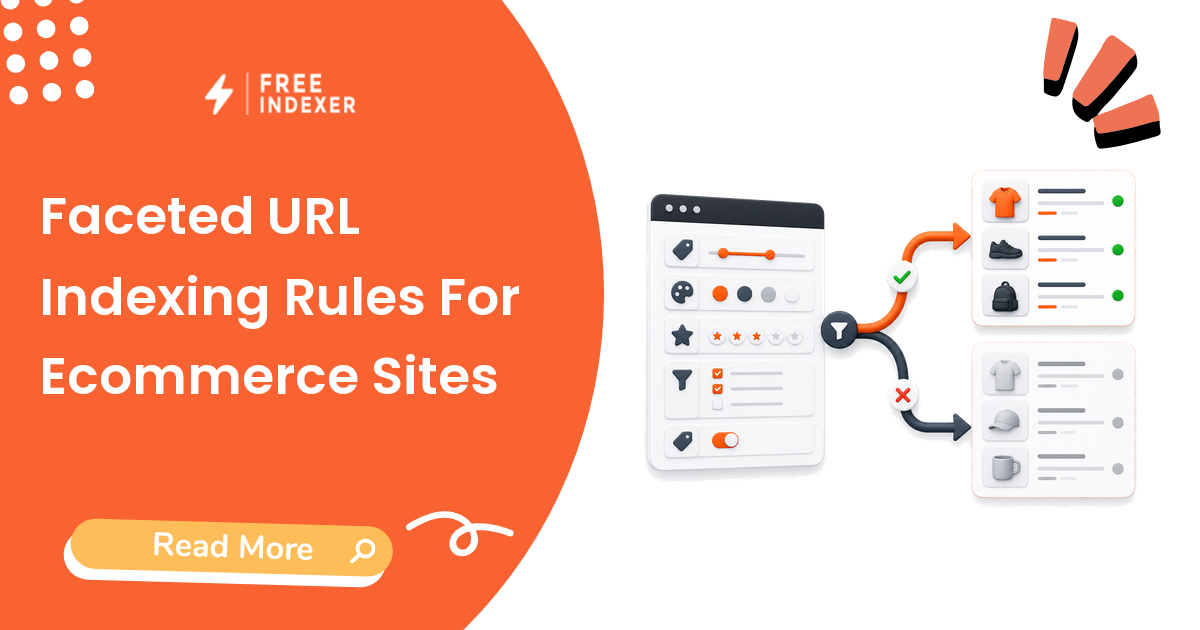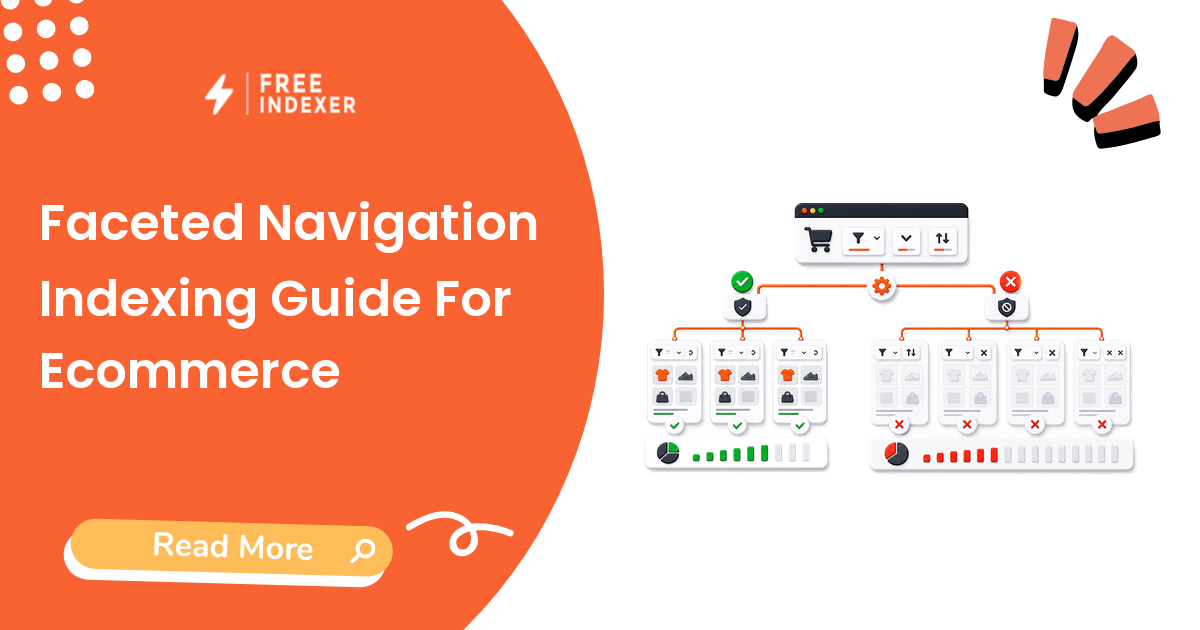
Control filter URL crawling by deciding which facets deserve search visibility and preventing infinite, duplicate, or empty combinations.
For ecommerce store owners, the practical goal is simple: Create an explicit allow, block, canonicalize, and 404 policy for every filter family.
Related FreeIndexer reading:
The Operating Rule
Do not let every filter combination become an indexable crawl path. Identify a small set of useful landing pages with demand and stable inventory, then control the rest through crawl rules, canonicals, links, and honest empty-result responses.
Technical Signals To Review
- Parameter combinations can create effectively infinite URL spaces.
- Excessive faceted crawling can slow discovery of new, valuable pages.
- Empty or nonsensical filter combinations should return a real 404 rather than redirecting to a generic page.
- Canonical and nofollow signals are less effective for crawl control than a deliberate URL and robots strategy.
Implementation And Audit Table
| Step | Control | Evidence | Implementation Decision |
|---|---|---|---|
| 1 | Inventory facets | Filter names, values, combinations, and demand | Mark each family indexable, crawlable-only, or blocked. |
| 2 | Choose landing pages | Stable inventory and unique search intent | Create useful content and clean URLs for approved facets. |
| 3 | Control combinations | Parameter and path rules | Prevent duplicate orders and infinite spaces. |
| 4 | Handle empty states | Zero-result and invalid URLs | Return 404 for combinations with no valid content. |
| 5 | Monitor crawling | Logs, crawl stats, and new-page discovery | Tighten rules when low-value crawling grows. |
Apply the rule consistently at template or system level. A clean implementation should make the intended page state obvious to users, crawlers, sitemaps, internal links, and reporting tools.
Practical Scenario
A clothing store allows indexable color categories for popular product families but blocks sort, price, size, and multi-select combinations. Zero-result filters return 404, and approved facet pages receive unique headings and internal links.
Failure Modes To Avoid
- Allowing every filter and sort combination to be crawled.
- Canonicalizing all useful facet pages to the parent category.
- Redirecting empty filters to the category homepage.
- Creating indexable facets with unstable or nearly empty inventory.
Where FreeIndexer Fits
Submit only approved facet landing pages. Do not feed raw parameter combinations into FreeIndexer.
Implementation Notes For Each Step
1. Inventory facets
Capture filter names, values, combinations, and demand before making a conclusion. Mark each family indexable, crawlable-only, or blocked.
Keep the evidence tied to the exact canonical URL and the date of the check. If the issue affects a shared template or URL pattern, record the pattern as well so the team fixes the system instead of repeating the same manual task.
2. Choose landing pages
Capture stable inventory and unique search intent before making a conclusion. Create useful content and clean URLs for approved facets.
Keep the evidence tied to the exact canonical URL and the date of the check. If the issue affects a shared template or URL pattern, record the pattern as well so the team fixes the system instead of repeating the same manual task.
3. Control combinations
Capture parameter and path rules before making a conclusion. Prevent duplicate orders and infinite spaces.
Keep the evidence tied to the exact canonical URL and the date of the check. If the issue affects a shared template or URL pattern, record the pattern as well so the team fixes the system instead of repeating the same manual task.
4. Handle empty states
Capture zero-result and invalid urls before making a conclusion. Return 404 for combinations with no valid content.
Keep the evidence tied to the exact canonical URL and the date of the check. If the issue affects a shared template or URL pattern, record the pattern as well so the team fixes the system instead of repeating the same manual task.
5. Monitor crawling
Capture logs, crawl stats, and new-page discovery before making a conclusion. Tighten rules when low-value crawling grows.
Keep the evidence tied to the exact canonical URL and the date of the check. If the issue affects a shared template or URL pattern, record the pattern as well so the team fixes the system instead of repeating the same manual task.
Turn The Findings Into An Action Queue
A diagnostic result is useful only when it changes what the team does next. Move each URL into one of four clear queues:
- Ready: the URL is useful, canonical, public, technically accessible, and ready for submission or normal monitoring.
- Fix: the URL has a correctable technical, content, linking, rendering, or reporting problem with an assigned owner.
- Exclude: the URL is intentionally redirected, noindexed, removed, duplicate, private, or otherwise outside the indexing target set.
- Escalate: the issue affects infrastructure, templates, migrations, security controls, or a large URL cohort and needs engineering or product input.
For this topic, the release rule is: Create an explicit allow, block, canonicalize, and 404 policy for every filter family. Do not leave a URL in a vague pending state. Give it an owner, one next action, and a review date based on the evidence available.
Evidence Log To Keep
| Field | What To Record | Why It Matters |
|---|---|---|
| Canonical URL | The final normalized URL checked by the operator | Prevents variants and redirects from splitting the investigation. |
| Cohort | Page type, template, campaign, locale, or backlink group | Reveals whether the issue is isolated or systemic. |
| Evidence source | Live response, URL Inspection, crawl, log, sitemap, or provider record | Makes the conclusion reproducible. |
| Change made | The exact technical, content, link, or workflow update | Separates action from assumption. |
| Owner and review date | Who is responsible and when the URL will be checked again | Stops the queue from becoming passive reporting. |
Keep submission dates in their own field. A submitted URL has completed an operational step; it has not automatically completed crawling, indexation, ranking, traffic, or conversion milestones. That separation makes the report more accurate and makes failed outcomes easier to diagnose.
Final Action Checklist
- [ ] Inventory facets: Mark each family indexable, crawlable-only, or blocked.
- [ ] Choose landing pages: Create useful content and clean URLs for approved facets.
- [ ] Control combinations: Prevent duplicate orders and infinite spaces.
- [ ] Handle empty states: Return 404 for combinations with no valid content.
- [ ] Monitor crawling: Tighten rules when low-value crawling grows.
- [ ] Confirm the final URL and evidence date in the tracking sheet.
- [ ] Remove excluded or unresolved URLs from the active submission batch.
- [ ] Schedule one follow-up review instead of repeating untracked checks.
Primary Sources
FAQ
Should filtered pages be indexed?
Only selected filters with distinct demand, stable content, and a maintainable landing-page experience.
Can robots.txt remove indexed facet URLs?
Robots.txt controls crawling, not direct removal. Plan canonical, noindex, and response strategies carefully.
What belongs in the sitemap?
Only canonical facet landing pages that you intentionally want indexed.
Next Step
Create an explicit allow, block, canonicalize, and 404 policy for every filter family.
Keep the final report honest: document what was fixed, what was submitted, what evidence changed, and what still requires time or a separate SEO decision.