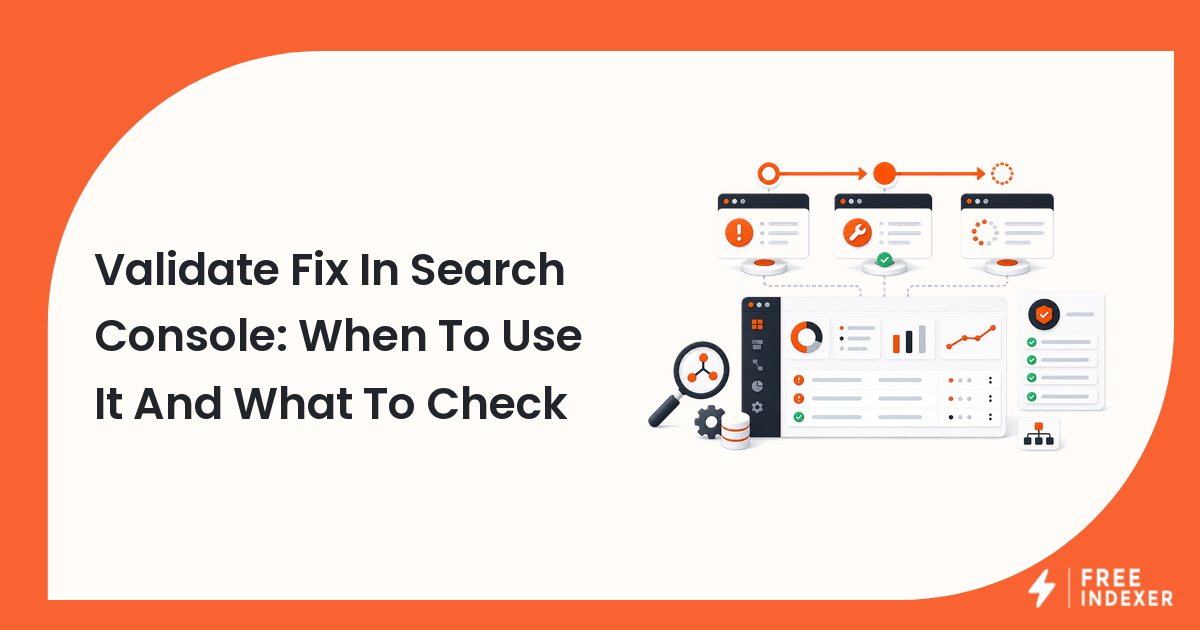
Validate Fix in Google Search Console is not a repair button. It is a way to tell Search Console that you believe an issue has been fixed so Google can recheck affected examples over time.
For the wider indexing foundation, start with the indexing education hub. This guide focuses on the practical Search Console moment: when a webmaster sees an indexing issue, fixes the site, and needs to decide whether validation is ready.
The Short Answer
Use Validate Fix after you have fixed the underlying issue and confirmed the fix on representative URLs. Do not click it just because the report looks uncomfortable.
For example, if Search Console reports pages blocked by noindex, first inspect the template, remove the directive where indexing is intended, crawl or test affected examples, and confirm the live HTML no longer contains noindex. Then validation makes sense.
Google's own Search Console documentation says validation is not the only way issues get updated; reports can change when Google recrawls known pages. The practical value of validation is workflow clarity: it tells you which issue you believe is fixed and gives the team a validation state to monitor.
Validate Fix vs Request Indexing
These two actions solve different workflow problems.
| Action | Best use | Scope | Before using it |
|---|---|---|---|
| Validate Fix | You fixed a report-level issue affecting multiple URLs | Issue group in Search Console | Confirm the pattern is fixed on representative URLs |
| Request Indexing | You changed or published a specific URL | Single inspected URL | Confirm the live URL is crawlable, indexable, and worth discovery |
| Wait for recrawl | The issue is low priority or already fixed naturally | Any known URL | Make sure monitoring is in place |
If you are new to these reports, read the Google Search Console indexing guide and the Google Search Console Pages report explained before changing your process.
What To Check Before You Click Validate Fix
Use this pre-validation checklist:
- The issue type is understood, not just acknowledged.
- The affected URLs are grouped by template, sitemap, directory, or CMS rule.
- The fix has been applied to the underlying pattern, not only one example URL.
- Representative URLs have been tested live.
- The old blocker is gone from HTML, HTTP headers, robots rules, or canonical output.
- The fix did not create a new problem, such as redirecting every affected URL to the homepage.
- Someone has recorded the validation start date and owner.
- The team knows what to monitor while validation is pending.
This checklist matters because a validation request can fail for boring reasons: the fix was partial, the sample was too small, or the affected URLs did not share the pattern the team assumed.
Diagnostic Steps For Common Indexing Issues
If the issue is noindex
Inspect the live page source, rendered HTML, and HTTP headers. CMS plugins, staging toggles, and template-level SEO settings can add noindex in more than one place.
If the issue is blocked by robots.txt
Check the exact URL path against the current robots file. A rule that looks narrow can block an entire generated directory when wildcards are involved.
If the issue is duplicate or alternate canonical
Compare the user-declared canonical with the Google-selected canonical in URL Inspection. Then decide whether Google's choice is actually more useful. Google Search Central's canonicalization documentation notes that Google can choose a different canonical when signals point elsewhere.
If the issue is sitemap-related
Confirm the sitemap is reachable, uses final canonical URLs, and contains only URLs you want discovered. For more detail, use the Search Console sitemap errors guide.
What To Do Next By Validation State
| State | What it usually means | What to do |
|---|---|---|
| Not started | You have not asked Search Console to validate the fix | Finish diagnostics before starting |
| Started or pending | Search Console is checking examples over time | Do not keep changing the same template unless a new issue is found |
| Failed | One or more checked URLs still show the issue | Inspect failed examples and fix the pattern |
| Passed | The checked issue appears resolved | Keep monitoring related reports and priority URLs |
| Report count changing | Google is recrawling known URLs | Compare changed URLs against your fix log |
The important habit is to separate report validation from page submission. A validation pass does not mean every important URL is ranking or even that every business-critical URL has been reviewed. It means a specific issue group appears resolved through the validation process.
Workflow Example
A webmaster sees a Page Indexing issue for /blog/tag/* URLs. The site owner does not want tag pages indexed, so there is no fix to validate. The correct action is to document that those URLs are intentionally excluded.
The same webmaster sees noindex on /products/* pages after a migration. The product pages should be indexable. The team removes the template setting, tests five product examples with URL Inspection, confirms the live HTML allows indexing, and then uses Validate Fix for that issue group.
For single high-priority pages after a meaningful repair, the request indexing in Search Console workflow can be useful. If the team later has many qualified URLs to track outside Search Console, FreeIndexer can support repeatable submission and prioritization. Keep those two actions separate in your notes.
Common Mistakes
- Clicking Validate Fix before checking live URLs.
- Fixing one example while the template still affects hundreds of URLs.
- Treating intentional exclusions as errors.
- Mixing sitemap cleanup, request indexing, and validation into one vague task.
- Reporting a validation start as if it guarantees indexing or ranking.
FAQ
Does Validate Fix make Google index the page?
No. Validate Fix is connected to issue validation in Search Console. Indexing still depends on crawlability, indexability, canonical signals, page usefulness, and search engine decisions.
Should I validate every Search Console issue?
No. Validate issues that are real problems and have been fixed. Do not validate intentional exclusions such as pages that should remain noindex.
Can I request indexing after Validate Fix?
For a specific important URL, you can inspect the live URL and request indexing after confirming the page is fixed. For report-level issues, keep validation and individual URL requests separate.
How long does validation take?
Validation timing varies because Search Console needs to recheck affected examples. Monitor the validation state and failed examples instead of assuming a fixed timeline.
Next Step
Validate fixes only after confirming the issue is repaired on representative URLs. The cleaner your fix log is, the easier it is to know whether Search Console is showing an old report, a partial fix, or a new problem.