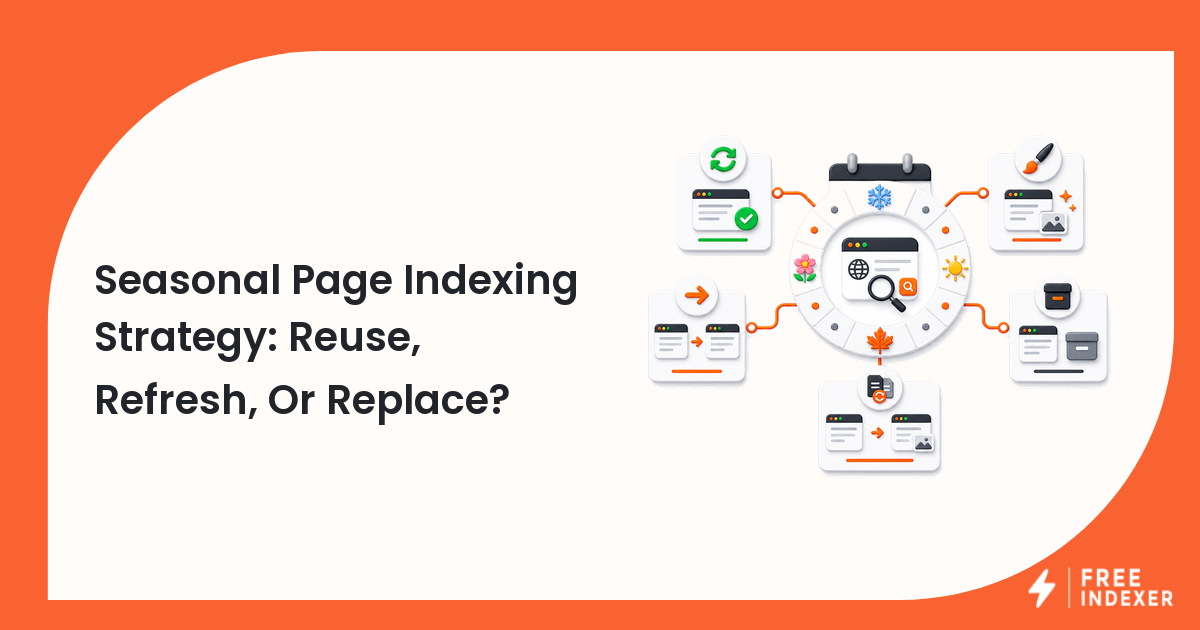
Decide whether to reuse, refresh, redirect, archive, or replace seasonal URLs based on recurring intent, links, inventory, and user value.
For content marketers, the practical goal is simple: Make the URL decision before the seasonal campaign calendar begins.
Related FreeIndexer reading:
- Content Marketing That Gets Discovered
- Content Refresh Workflow For Organic Growth
- Indexed Page Disappeared From Google
Quick Answer
Reuse a stable URL when the core intent returns each season and the page can remain useful. Create a new URL when the event is genuinely unique, and redirect or archive expired pages according to whether a close successor exists.
Signals That Matter
- Recurring commercial intent often benefits from one durable URL that accumulates links and history.
- Year-specific events may need separate pages when dates, programs, or records matter independently.
- Out-of-season pages can remain useful with clear status, future dates, alternatives, or evergreen guidance.
- Internal links and sitemaps should reflect the current campaign state.
Step-By-Step Workflow
| Step | Check | Evidence To Capture | Next Action |
|---|---|---|---|
| 1 | Classify the intent | Recurring, annual record, one-time event, or expired offer | Choose the URL lifecycle. |
| 2 | Review existing value | Links, traffic, rankings, and conversions | Protect durable assets. |
| 3 | Plan the refresh | Dates, inventory, copy, schema, and CTA | Update meaningful content before demand rises. |
| 4 | Reconnect discovery | Hubs, navigation, related content, and sitemap | Restore links before the peak. |
| 5 | Close the season | Keep, archive, redirect, or remove | Document the next cycle. |
A useful tracker keeps the evidence and the conclusion separate. Record what the URL returned, what the tool reported, what changed, who owns the next action, and when the page should be reviewed again.
Worked Example
A retailer has separate Black Friday URLs for six years. It consolidates the main recurring offer into one durable page, preserves year-specific editorial recaps as archives, and redirects thin expired promotion variants.
The point of the example is not the exact numbers. It is the sequence: verify the real page, classify the issue, make one defensible change, and preserve enough evidence to evaluate the result later.
Common Mistakes
- Creating a new near-duplicate URL every year by default.
- Removing a valuable seasonal page immediately after the event.
- Refreshing only the year in the title while leaving stale offers.
- Waiting until peak demand to restore internal links.
Where FreeIndexer Fits
FreeIndexer can queue substantially refreshed seasonal URLs before demand rises. Avoid resubmitting unchanged pages on an arbitrary calendar.
Implementation Notes For Each Step
1. Classify the intent
Capture recurring, annual record, one-time event, or expired offer before making a conclusion. Choose the URL lifecycle.
Keep the evidence tied to the exact canonical URL and the date of the check. If the issue affects a shared template or URL pattern, record the pattern as well so the team fixes the system instead of repeating the same manual task.
2. Review existing value
Capture links, traffic, rankings, and conversions before making a conclusion. Protect durable assets.
Keep the evidence tied to the exact canonical URL and the date of the check. If the issue affects a shared template or URL pattern, record the pattern as well so the team fixes the system instead of repeating the same manual task.
3. Plan the refresh
Capture dates, inventory, copy, schema, and cta before making a conclusion. Update meaningful content before demand rises.
Keep the evidence tied to the exact canonical URL and the date of the check. If the issue affects a shared template or URL pattern, record the pattern as well so the team fixes the system instead of repeating the same manual task.
4. Reconnect discovery
Capture hubs, navigation, related content, and sitemap before making a conclusion. Restore links before the peak.
Keep the evidence tied to the exact canonical URL and the date of the check. If the issue affects a shared template or URL pattern, record the pattern as well so the team fixes the system instead of repeating the same manual task.
5. Close the season
Capture keep, archive, redirect, or remove before making a conclusion. Document the next cycle.
Keep the evidence tied to the exact canonical URL and the date of the check. If the issue affects a shared template or URL pattern, record the pattern as well so the team fixes the system instead of repeating the same manual task.
Turn The Findings Into An Action Queue
A diagnostic result is useful only when it changes what the team does next. Move each URL into one of four clear queues:
- Ready: the URL is useful, canonical, public, technically accessible, and ready for submission or normal monitoring.
- Fix: the URL has a correctable technical, content, linking, rendering, or reporting problem with an assigned owner.
- Exclude: the URL is intentionally redirected, noindexed, removed, duplicate, private, or otherwise outside the indexing target set.
- Escalate: the issue affects infrastructure, templates, migrations, security controls, or a large URL cohort and needs engineering or product input.
For this topic, the release rule is: Make the URL decision before the seasonal campaign calendar begins. Do not leave a URL in a vague pending state. Give it an owner, one next action, and a review date based on the evidence available.
Evidence Log To Keep
| Field | What To Record | Why It Matters |
|---|---|---|
| Canonical URL | The final normalized URL checked by the operator | Prevents variants and redirects from splitting the investigation. |
| Cohort | Page type, template, campaign, locale, or backlink group | Reveals whether the issue is isolated or systemic. |
| Evidence source | Live response, URL Inspection, crawl, log, sitemap, or provider record | Makes the conclusion reproducible. |
| Change made | The exact technical, content, link, or workflow update | Separates action from assumption. |
| Owner and review date | Who is responsible and when the URL will be checked again | Stops the queue from becoming passive reporting. |
Keep submission dates in their own field. A submitted URL has completed an operational step; it has not automatically completed crawling, indexation, ranking, traffic, or conversion milestones. That separation makes the report more accurate and makes failed outcomes easier to diagnose.
Final Action Checklist
- [ ] Classify the intent: Choose the URL lifecycle.
- [ ] Review existing value: Protect durable assets.
- [ ] Plan the refresh: Update meaningful content before demand rises.
- [ ] Reconnect discovery: Restore links before the peak.
- [ ] Close the season: Document the next cycle.
- [ ] Confirm the final URL and evidence date in the tracking sheet.
- [ ] Remove excluded or unresolved URLs from the active submission batch.
- [ ] Schedule one follow-up review instead of repeating untracked checks.
Primary Sources
FAQ
Should a seasonal URL include the year?
Use a year when the page is a distinct annual record. Durable recurring offers often work better without one.
Can out-of-season pages stay indexed?
Yes, when they remain useful and accurately explain current availability or future timing.
When should I resubmit a refreshed page?
After meaningful updates, internal links, canonical signals, and sitemap data are live.
Next Step
Make the URL decision before the seasonal campaign calendar begins.
Keep the final report honest: document what was fixed, what was submitted, what evidence changed, and what still requires time or a separate SEO decision.