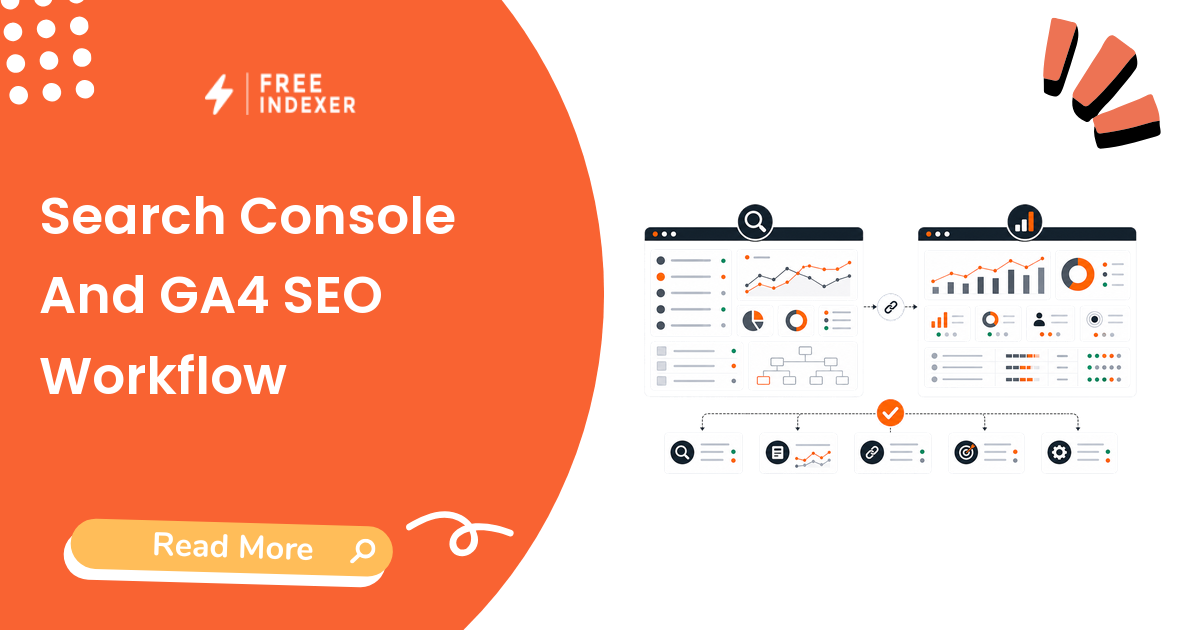
Search Console and GA4 answer different SEO questions. Search Console shows how Google discovers, indexes, and displays your pages in search. GA4 shows what users do after they land on the site. A useful SEO workflow needs both.
Start with the Google Search Console indexing guide if you need the indexing side first. This guide shows how SEO operators can combine discovery data and traffic data without mixing them into one confusing metric.
The Short Answer
Use Search Console to understand queries, impressions, clicks, indexing status, sitemap issues, and page discovery. Use GA4 to understand landing page engagement, events, conversions, and business value. Compare both tools by URL, then decide whether a page needs technical fixes, content updates, internal links, conversion improvements, or discovery follow-up.
FreeIndexer can support the follow-up queue for priority URLs, but Search Console and GA4 remain the reporting sources for visibility and behavior.
What Each Tool Does Best
| Question | Search Console | GA4 |
|---|---|---|
| Is Google seeing this URL? | Strong | No |
| Which queries trigger impressions? | Strong | No |
| Is the URL indexed or excluded? | Strong | No |
| Which landing pages get organic sessions? | Limited | Strong |
| What do users do after landing? | No | Strong |
| Which pages drive leads or sales? | No | Strong |
| What should we refresh next? | Strong when combined with GA4 | Strong when combined with GSC |
Use the Google Search Console Pages report explained article when you need to diagnose URL-level indexing signals.
The SEO Reporting Workflow
- Export or review top search pages in Search Console.
- Note impressions, clicks, average position, query themes, and indexing status.
- Review the same landing pages in GA4.
- Note organic sessions, engaged sessions, conversions, and revenue or lead events.
- Group pages by action: technical fix, content refresh, internal link boost, conversion review, or monitoring.
- Add priority URLs to a follow-up queue only when there is a clear reason.
- Report discovery, traffic, engagement, and conversions as separate sections.
This separation matters because URL indexing vs ranking is not the same as traffic, leads, or revenue.
Reporting Template
Use a simple page-level table:
| URL | GSC signal | GA4 signal | Diagnosis | Next action |
|---|---|---|---|---|
/guides/indexing-basics |
High impressions, low CTR | Good engagement | Title or meta issue | Rewrite title and description |
/features/bulk-url-submission |
Indexed, low impressions | Low traffic | Weak internal links or demand | Add internal links and check query fit |
/blog/shopify-products-not-indexing |
Discovered, not indexed | No sessions | Indexability or quality issue | Diagnose page and improve usefulness |
/pricing |
Organic sessions, low conversions | High exits | CRO issue | Test CTA, proof, and plan clarity |
The goal is to decide the next action, not to collect a bigger spreadsheet.
Example Monthly Workflow
A growth operator reviews 50 organic landing pages:
- 10 pages have impressions but low CTR.
- 8 pages have impressions but no meaningful traffic.
- 6 pages have traffic but weak conversions.
- 4 pages show indexing or sitemap issues.
- 22 pages are stable and need monitoring only.
The operator does not send every URL into a submission workflow. The better sequence is:
- Fix metadata on the low-CTR pages.
- Add internal links to pages with impressions but weak click growth.
- Improve forms or CTAs on high-traffic pages with low conversion.
- Diagnose indexability on the four problem URLs.
- Use a priority queue for URLs that are fixed and ready for discovery follow-up.
For a recurring operating rhythm, use the monthly SEO maintenance checklist for small websites.
What To Do Next
| Signal pattern | Likely issue | Next action |
|---|---|---|
| Indexed, impressions rising, clicks flat | CTR or title mismatch | Improve title, meta description, and SERP promise |
| Indexed, no impressions | Demand, internal links, or content fit | Check query targeting and internal links |
| Not indexed, no traffic | Indexability or quality problem | Run URL Inspection and page quality checks |
| Traffic up, conversions low | Landing page or offer problem | Review CTA, proof, speed, and form friction |
| Traffic down after content ages | Refresh opportunity | Update examples, links, screenshots, and intent coverage |
Where FreeIndexer Fits
FreeIndexer fits after reporting creates a qualified follow-up list: fixed URLs, new important pages, refreshed guides, or verified backlinks that deserve discovery tracking.
Keep the report honest. FreeIndexer can help manage submission and prioritization, while Search Console and GA4 show search visibility and user behavior.
Part Of This Series
This article is part of the Analytics And Reporting For SEO Growth series.
Recommended path:
- Previous: GA4 Basics For SEO Reporting
- Current: Search Console And GA4 SEO Workflow
- Next: Track Organic Landing Pages
Series hub: Analytics And Reporting For SEO Growth
Related guides from other workflows:
FAQ
Should Search Console and GA4 numbers match?
No. Search Console reports search impressions and clicks from Google Search. GA4 reports site sessions and user behavior. They use different collection methods and answer different questions.
Which tool should I use for SEO reporting?
Use both. Search Console is better for queries, impressions, indexing, and page discovery. GA4 is better for engagement, conversions, and business outcomes after the visit.
How often should I review SEO performance?
Monthly is enough for most small teams, with weekly checks for launches, migrations, large campaigns, or urgent technical issues.