Learn reliable ways to check whether a page is indexed, confirm the canonical URL, and choose the right next action without relying on one signal.
For website owners, the practical goal is simple: Inspect the exact URL, record the evidence, and submit only pages that are ready.
Related FreeIndexer reading:
Quick Answer
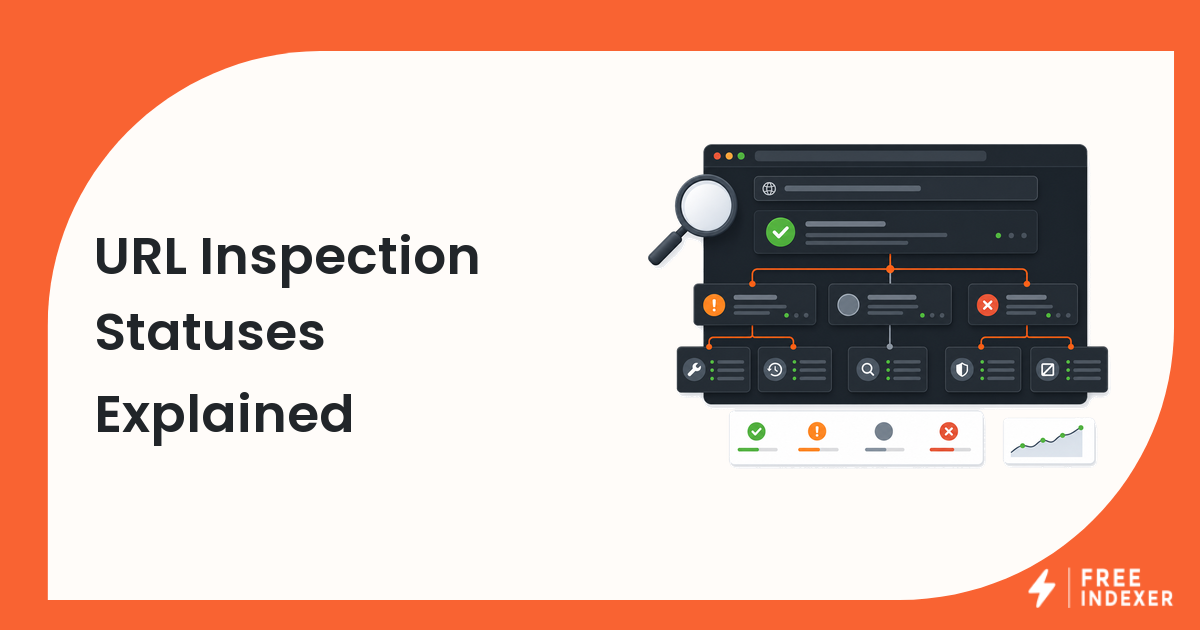
Use URL Inspection as the primary diagnostic source, then confirm the live URL, canonical, sitemap inclusion, and internal links. A site: search can support the investigation, but it should not be treated as a complete index count.
Signals That Matter
- The exact URL returns a public 200 response and is not blocked by login, robots.txt, or a noindex directive.
- URL Inspection reports whether Google knows the URL and which canonical Google selected.
- The inspected URL matches the preferred HTTPS, hostname, path, and trailing-slash format.
- The page is linked internally and appears in a sitemap that contains only canonical, indexable URLs.
Step-By-Step Workflow
| Step | Check | Evidence To Capture | Next Action |
|---|---|---|---|
| 1 | Open the live URL | Final URL, HTTP status, rendered content | Fix redirects, errors, or access controls before checking index status. |
| 2 | Inspect the exact canonical | User canonical and Google-selected canonical | Resolve conflicting canonical signals before submission. |
| 3 | Review discovery paths | Internal links and sitemap membership | Add a crawlable link from a relevant indexed page. |
| 4 | Record the status | Inspection date, result, and last crawl | Use the evidence as a baseline for follow-up. |
| 5 | Choose the next action | Blocker, quality gap, or ready state | Fix first; request discovery only when the page is technically ready. |
A useful tracker keeps the evidence and the conclusion separate. Record what the URL returned, what the tool reported, what changed, who owns the next action, and when the page should be reviewed again.
Worked Example
A website owner checks /services/roof-repair and finds that the browser loads it, but URL Inspection shows a different canonical without the trailing slash. The sitemap lists the slash version while internal links use both. The correct action is to standardize redirects, canonicals, sitemap entries, and links before asking Google to revisit the URL.
The point of the example is not the exact numbers. It is the sequence: verify the real page, classify the issue, make one defensible change, and preserve enough evidence to evaluate the result later.
Common Mistakes
- Using only a site: query and assuming a missing result proves the page is unknown to Google.
- Inspecting a redirected URL instead of the final canonical destination.
- Requesting indexing before removing noindex, canonical, quality, or access blockers.
- Checking once without recording the date, status, and change made.
Where FreeIndexer Fits
After the URL passes the checks, FreeIndexer can place it in a tracked submission queue with other priority pages. It cannot remove technical blockers or guarantee indexation.
Implementation Notes For Each Step
1. Open the live URL
Capture final url, http status, rendered content before making a conclusion. Fix redirects, errors, or access controls before checking index status.
Keep the evidence tied to the exact canonical URL and the date of the check. If the issue affects a shared template or URL pattern, record the pattern as well so the team fixes the system instead of repeating the same manual task.
2. Inspect the exact canonical
Capture user canonical and google-selected canonical before making a conclusion. Resolve conflicting canonical signals before submission.
Keep the evidence tied to the exact canonical URL and the date of the check. If the issue affects a shared template or URL pattern, record the pattern as well so the team fixes the system instead of repeating the same manual task.
3. Review discovery paths
Capture internal links and sitemap membership before making a conclusion. Add a crawlable link from a relevant indexed page.
Keep the evidence tied to the exact canonical URL and the date of the check. If the issue affects a shared template or URL pattern, record the pattern as well so the team fixes the system instead of repeating the same manual task.
4. Record the status
Capture inspection date, result, and last crawl before making a conclusion. Use the evidence as a baseline for follow-up.
Keep the evidence tied to the exact canonical URL and the date of the check. If the issue affects a shared template or URL pattern, record the pattern as well so the team fixes the system instead of repeating the same manual task.
5. Choose the next action
Capture blocker, quality gap, or ready state before making a conclusion. Fix first; request discovery only when the page is technically ready.
Keep the evidence tied to the exact canonical URL and the date of the check. If the issue affects a shared template or URL pattern, record the pattern as well so the team fixes the system instead of repeating the same manual task.
Turn The Findings Into An Action Queue
A diagnostic result is useful only when it changes what the team does next. Move each URL into one of four clear queues:
- Ready: the URL is useful, canonical, public, technically accessible, and ready for submission or normal monitoring.
- Fix: the URL has a correctable technical, content, linking, rendering, or reporting problem with an assigned owner.
- Exclude: the URL is intentionally redirected, noindexed, removed, duplicate, private, or otherwise outside the indexing target set.
- Escalate: the issue affects infrastructure, templates, migrations, security controls, or a large URL cohort and needs engineering or product input.
For this topic, the release rule is: Inspect the exact URL, record the evidence, and submit only pages that are ready. Do not leave a URL in a vague pending state. Give it an owner, one next action, and a review date based on the evidence available.
Evidence Log To Keep
| Field | What To Record | Why It Matters |
|---|---|---|
| Canonical URL | The final normalized URL checked by the operator | Prevents variants and redirects from splitting the investigation. |
| Cohort | Page type, template, campaign, locale, or backlink group | Reveals whether the issue is isolated or systemic. |
| Evidence source | Live response, URL Inspection, crawl, log, sitemap, or provider record | Makes the conclusion reproducible. |
| Change made | The exact technical, content, link, or workflow update | Separates action from assumption. |
| Owner and review date | Who is responsible and when the URL will be checked again | Stops the queue from becoming passive reporting. |
Keep submission dates in their own field. A submitted URL has completed an operational step; it has not automatically completed crawling, indexation, ranking, traffic, or conversion milestones. That separation makes the report more accurate and makes failed outcomes easier to diagnose.
Final Action Checklist
- [ ] Open the live URL: Fix redirects, errors, or access controls before checking index status.
- [ ] Inspect the exact canonical: Resolve conflicting canonical signals before submission.
- [ ] Review discovery paths: Add a crawlable link from a relevant indexed page.
- [ ] Record the status: Use the evidence as a baseline for follow-up.
- [ ] Choose the next action: Fix first; request discovery only when the page is technically ready.
- [ ] Confirm the final URL and evidence date in the tracking sheet.
- [ ] Remove excluded or unresolved URLs from the active submission batch.
- [ ] Schedule one follow-up review instead of repeating untracked checks.
Primary Sources
FAQ
Is a site: search enough to confirm indexing?
No. It can be a quick secondary check, but URL Inspection and the page's technical signals provide better diagnostic evidence.
Can an indexed page still fail to rank?
Yes. Indexing means the page may be eligible to appear; ranking depends on relevance, usefulness, competition, and other signals.
Should I submit every unindexed URL?
No. Submit only canonical, useful, crawlable pages that deserve search visibility.
Next Step
Inspect the exact URL, record the evidence, and submit only pages that are ready.
Keep the final report honest: document what was fixed, what was submitted, what evidence changed, and what still requires time or a separate SEO decision.