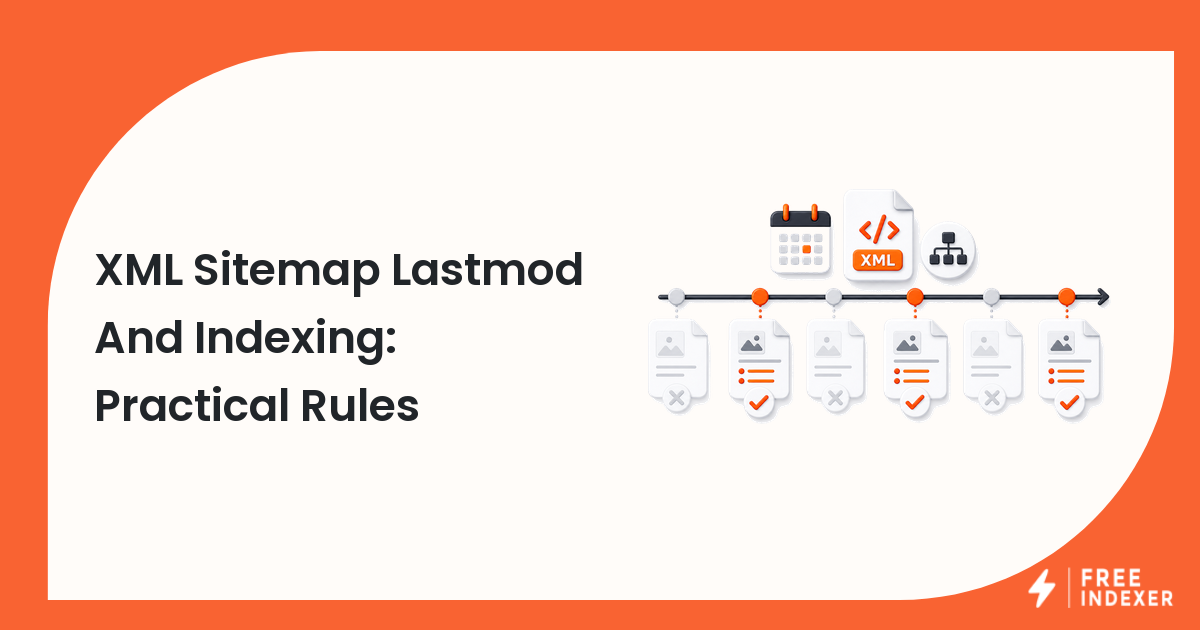
Use lastmod accurately so sitemap dates reflect meaningful page changes instead of every crawl, render, or deployment.
For seo operators, the practical goal is simple: Generate trustworthy modification dates and segment sitemaps where update patterns differ.
Related FreeIndexer reading:
The Operating Rule
Set lastmod only when the page's primary content changes in a way users or search systems would care about. Do not rewrite every date on every deployment or request, because unreliable dates make the signal less useful.
Technical Signals To Review
- Lastmod values should use a valid date or datetime format.
- A changed footer timestamp, analytics script, or cache key is not usually a meaningful page update.
- Content, product availability, core specifications, and substantial structured data changes may justify a new date.
- Sitemap index lastmod describes when the referenced sitemap file changed, not every URL inside it.
Implementation And Audit Table
| Step | Control | Evidence | Implementation Decision |
|---|---|---|---|
| 1 | Define meaningful change | Editorial and product update rules | Document which fields update lastmod. |
| 2 | Choose the data source | CMS publish and modified timestamps | Avoid request-time or deployment-time generation. |
| 3 | Validate the format | W3C date or datetime values | Normalize time zones and malformed records. |
| 4 | Segment update patterns | News, products, evergreen pages, archives | Use separate sitemaps when operationally useful. |
| 5 | Audit trustworthiness | Dates versus actual content changes | Correct bulk timestamp resets and stale values. |
Apply the rule consistently at template or system level. A clean implementation should make the intended page state obvious to users, crawlers, sitemaps, internal links, and reporting tools.
Practical Scenario
A SaaS CMS updates every page's database modified timestamp whenever a navigation component deploys. The sitemap therefore marks 40,000 pages as changed. The team separates content modification from template deployment and updates lastmod only for meaningful page records.
Failure Modes To Avoid
- Setting every lastmod value to today.
- Using creation date forever on frequently updated pages.
- Assuming lastmod forces immediate recrawling.
- Mixing local times and UTC inconsistently.
Where FreeIndexer Fits
Accurate lastmod values improve the sitemap layer. FreeIndexer can separately track a small list of newly published or substantially updated priority URLs.
Implementation Notes For Each Step
1. Define meaningful change
Capture editorial and product update rules before making a conclusion. Document which fields update lastmod.
Keep the evidence tied to the exact canonical URL and the date of the check. If the issue affects a shared template or URL pattern, record the pattern as well so the team fixes the system instead of repeating the same manual task.
2. Choose the data source
Capture cms publish and modified timestamps before making a conclusion. Avoid request-time or deployment-time generation.
Keep the evidence tied to the exact canonical URL and the date of the check. If the issue affects a shared template or URL pattern, record the pattern as well so the team fixes the system instead of repeating the same manual task.
3. Validate the format
Capture w3c date or datetime values before making a conclusion. Normalize time zones and malformed records.
Keep the evidence tied to the exact canonical URL and the date of the check. If the issue affects a shared template or URL pattern, record the pattern as well so the team fixes the system instead of repeating the same manual task.
4. Segment update patterns
Capture news, products, evergreen pages, archives before making a conclusion. Use separate sitemaps when operationally useful.
Keep the evidence tied to the exact canonical URL and the date of the check. If the issue affects a shared template or URL pattern, record the pattern as well so the team fixes the system instead of repeating the same manual task.
5. Audit trustworthiness
Capture dates versus actual content changes before making a conclusion. Correct bulk timestamp resets and stale values.
Keep the evidence tied to the exact canonical URL and the date of the check. If the issue affects a shared template or URL pattern, record the pattern as well so the team fixes the system instead of repeating the same manual task.
Turn The Findings Into An Action Queue
A diagnostic result is useful only when it changes what the team does next. Move each URL into one of four clear queues:
- Ready: the URL is useful, canonical, public, technically accessible, and ready for submission or normal monitoring.
- Fix: the URL has a correctable technical, content, linking, rendering, or reporting problem with an assigned owner.
- Exclude: the URL is intentionally redirected, noindexed, removed, duplicate, private, or otherwise outside the indexing target set.
- Escalate: the issue affects infrastructure, templates, migrations, security controls, or a large URL cohort and needs engineering or product input.
For this topic, the release rule is: Generate trustworthy modification dates and segment sitemaps where update patterns differ. Do not leave a URL in a vague pending state. Give it an owner, one next action, and a review date based on the evidence available.
Evidence Log To Keep
| Field | What To Record | Why It Matters |
|---|---|---|
| Canonical URL | The final normalized URL checked by the operator | Prevents variants and redirects from splitting the investigation. |
| Cohort | Page type, template, campaign, locale, or backlink group | Reveals whether the issue is isolated or systemic. |
| Evidence source | Live response, URL Inspection, crawl, log, sitemap, or provider record | Makes the conclusion reproducible. |
| Change made | The exact technical, content, link, or workflow update | Separates action from assumption. |
| Owner and review date | Who is responsible and when the URL will be checked again | Stops the queue from becoming passive reporting. |
Keep submission dates in their own field. A submitted URL has completed an operational step; it has not automatically completed crawling, indexation, ranking, traffic, or conversion milestones. That separation makes the report more accurate and makes failed outcomes easier to diagnose.
Final Action Checklist
- [ ] Define meaningful change: Document which fields update lastmod.
- [ ] Choose the data source: Avoid request-time or deployment-time generation.
- [ ] Validate the format: Normalize time zones and malformed records.
- [ ] Segment update patterns: Use separate sitemaps when operationally useful.
- [ ] Audit trustworthiness: Correct bulk timestamp resets and stale values.
- [ ] Confirm the final URL and evidence date in the tracking sheet.
- [ ] Remove excluded or unresolved URLs from the active submission batch.
- [ ] Schedule one follow-up review instead of repeating untracked checks.
Primary Sources
FAQ
Is lastmod required?
No. It is optional, but accurate values can help communicate meaningful updates.
Does changing lastmod guarantee indexing?
No. It is a hint within the broader discovery and crawling system.
Should images or structured data changes update lastmod?
Update it when the change materially affects the page or its search-facing content.
Next Step
Generate trustworthy modification dates and segment sitemaps where update patterns differ.
Keep the final report honest: document what was fixed, what was submitted, what evidence changed, and what still requires time or a separate SEO decision.