Audit initial HTML, rendered content, crawlable links, status codes, canonicals, lazy loading, resources, and error states on JavaScript sites.
For saas or product teams, the practical goal is simple: Test representative templates in rendered and non-rendered states before submitting URLs.
Related FreeIndexer reading:
The Operating Rule
Make essential content, links, metadata, and status meaning available reliably. Google can render JavaScript, but rendering adds another processing stage and can expose failures that a normal browser session hides.
Technical Signals To Review
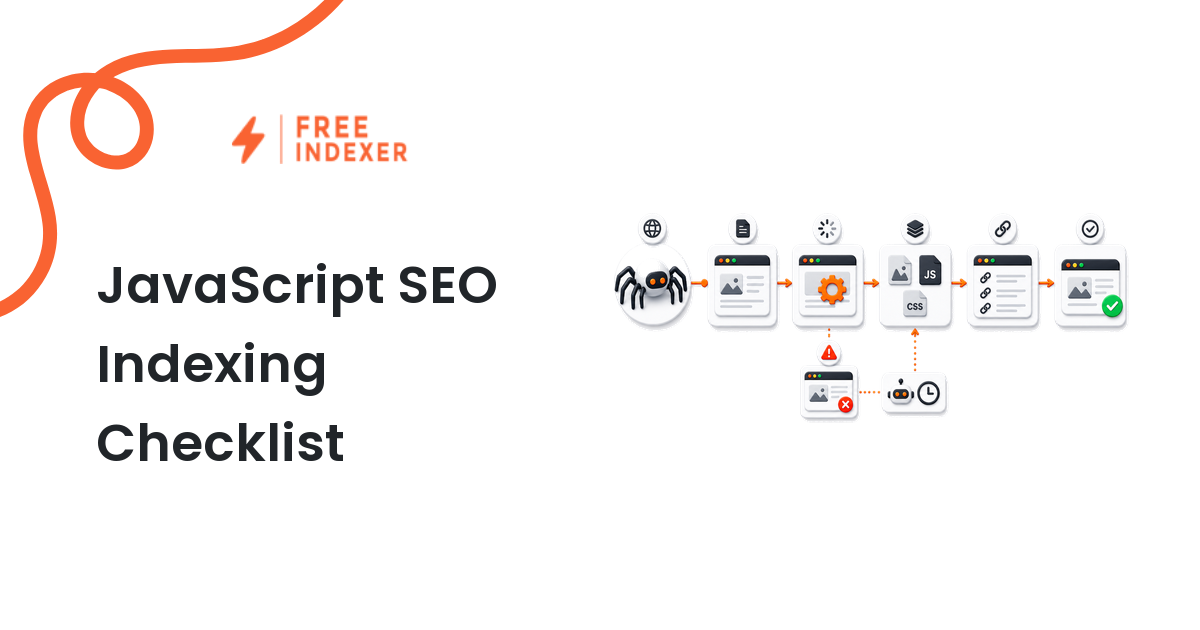
- Google processes JavaScript pages through crawling, rendering, and indexing stages.
- Blocked scripts or pages cannot be rendered as intended.
- Links should use crawlable anchor elements with href destinations.
- Content that appears only after scrolling, clicking, authentication, or failed API calls may be missed.
Implementation And Audit Table
| Step | Control | Evidence | Implementation Decision |
|---|---|---|---|
| 1 | Inspect initial HTML | Title, canonical, content shell, and links | Server-render essential search-facing information where practical. |
| 2 | Compare rendered output | DOM, content, metadata, and errors | Fix hydration, API, and race-condition differences. |
| 3 | Test links | Anchor href URLs | Replace click-only navigation for important destinations. |
| 4 | Review resources | Robots access, status, and load failures | Allow required CSS, JS, and API responses. |
| 5 | Handle empty states | 404, no results, and unavailable content | Return meaningful status codes and stable URLs. |
Apply the rule consistently at template or system level. A clean implementation should make the intended page state obvious to users, crawlers, sitemaps, internal links, and reporting tools.
Practical Scenario
A documentation SPA returns an empty app shell until an API request completes. Google can render some pages, but rate-limited API calls produce blank content. The team server-renders article text and navigation while keeping interactive features client-side.
Failure Modes To Avoid
- Assuming evergreen Chromium eliminates every rendering issue.
- Requiring a click to reveal the main content.
- Blocking script files in robots.txt.
- Using dynamic rendering as a permanent first-choice architecture.
Where FreeIndexer Fits
Submit JavaScript URLs only after rendered-content tests pass. FreeIndexer cannot repair blocked resources, empty app shells, or client-side errors.
Implementation Notes For Each Step
1. Inspect initial HTML
Capture title, canonical, content shell, and links before making a conclusion. Server-render essential search-facing information where practical.
Keep the evidence tied to the exact canonical URL and the date of the check. If the issue affects a shared template or URL pattern, record the pattern as well so the team fixes the system instead of repeating the same manual task.
2. Compare rendered output
Capture dom, content, metadata, and errors before making a conclusion. Fix hydration, API, and race-condition differences.
Keep the evidence tied to the exact canonical URL and the date of the check. If the issue affects a shared template or URL pattern, record the pattern as well so the team fixes the system instead of repeating the same manual task.
3. Test links
Capture anchor href urls before making a conclusion. Replace click-only navigation for important destinations.
Keep the evidence tied to the exact canonical URL and the date of the check. If the issue affects a shared template or URL pattern, record the pattern as well so the team fixes the system instead of repeating the same manual task.
4. Review resources
Capture robots access, status, and load failures before making a conclusion. Allow required CSS, JS, and API responses.
Keep the evidence tied to the exact canonical URL and the date of the check. If the issue affects a shared template or URL pattern, record the pattern as well so the team fixes the system instead of repeating the same manual task.
5. Handle empty states
Capture 404, no results, and unavailable content before making a conclusion. Return meaningful status codes and stable URLs.
Keep the evidence tied to the exact canonical URL and the date of the check. If the issue affects a shared template or URL pattern, record the pattern as well so the team fixes the system instead of repeating the same manual task.
Turn The Findings Into An Action Queue
A diagnostic result is useful only when it changes what the team does next. Move each URL into one of four clear queues:
- Ready: the URL is useful, canonical, public, technically accessible, and ready for submission or normal monitoring.
- Fix: the URL has a correctable technical, content, linking, rendering, or reporting problem with an assigned owner.
- Exclude: the URL is intentionally redirected, noindexed, removed, duplicate, private, or otherwise outside the indexing target set.
- Escalate: the issue affects infrastructure, templates, migrations, security controls, or a large URL cohort and needs engineering or product input.
For this topic, the release rule is: Test representative templates in rendered and non-rendered states before submitting URLs. Do not leave a URL in a vague pending state. Give it an owner, one next action, and a review date based on the evidence available.
Evidence Log To Keep
| Field | What To Record | Why It Matters |
|---|---|---|
| Canonical URL | The final normalized URL checked by the operator | Prevents variants and redirects from splitting the investigation. |
| Cohort | Page type, template, campaign, locale, or backlink group | Reveals whether the issue is isolated or systemic. |
| Evidence source | Live response, URL Inspection, crawl, log, sitemap, or provider record | Makes the conclusion reproducible. |
| Change made | The exact technical, content, link, or workflow update | Separates action from assumption. |
| Owner and review date | Who is responsible and when the URL will be checked again | Stops the queue from becoming passive reporting. |
Keep submission dates in their own field. A submitted URL has completed an operational step; it has not automatically completed crawling, indexation, ranking, traffic, or conversion milestones. That separation makes the report more accurate and makes failed outcomes easier to diagnose.
Final Action Checklist
- [ ] Inspect initial HTML: Server-render essential search-facing information where practical.
- [ ] Compare rendered output: Fix hydration, API, and race-condition differences.
- [ ] Test links: Replace click-only navigation for important destinations.
- [ ] Review resources: Allow required CSS, JS, and API responses.
- [ ] Handle empty states: Return meaningful status codes and stable URLs.
- [ ] Confirm the final URL and evidence date in the tracking sheet.
- [ ] Remove excluded or unresolved URLs from the active submission batch.
- [ ] Schedule one follow-up review instead of repeating untracked checks.
Primary Sources
FAQ
Can Google index client-rendered JavaScript?
It can process many JavaScript pages, but reliability improves when essential content and links are available without fragile runtime dependencies.
Should every SPA use dynamic rendering?
No. Google recommends server-side rendering, static rendering, or hydration over dynamic rendering as a long-term solution.
How do I test rendered content?
Use URL Inspection, Rich Results Test where relevant, browser developer tools, and a crawler that can compare rendered HTML.
Next Step
Test representative templates in rendered and non-rendered states before submitting URLs.
Keep the final report honest: document what was fixed, what was submitted, what evidence changed, and what still requires time or a separate SEO decision.