Create FreeIndexer campaign names and tracking fields that make URL batches easier to audit, compare, report, and follow up.
For seo operators, the practical goal is simple: Name campaigns by cohort and purpose so future reporting is understandable without archaeology.
Related FreeIndexer reading:
Quick Answer
Campaign names are operational infrastructure. A clear FreeIndexer campaign name should reveal the client, URL cohort, purpose, and date window. Tracking fields should preserve QA status, blocker reason, submission date, and follow-up evidence without turning the campaign into a junk drawer.
Signals That Matter
- The campaign name identifies the site, cohort, and reason for submission.
- URLs are grouped by page type, refresh event, backlink campaign, migration, or client deliverable.
- QA status and blocker reasons are stored before submission.
- Follow-up dates and evidence fields are separate from the submission timestamp.
Step-By-Step Workflow
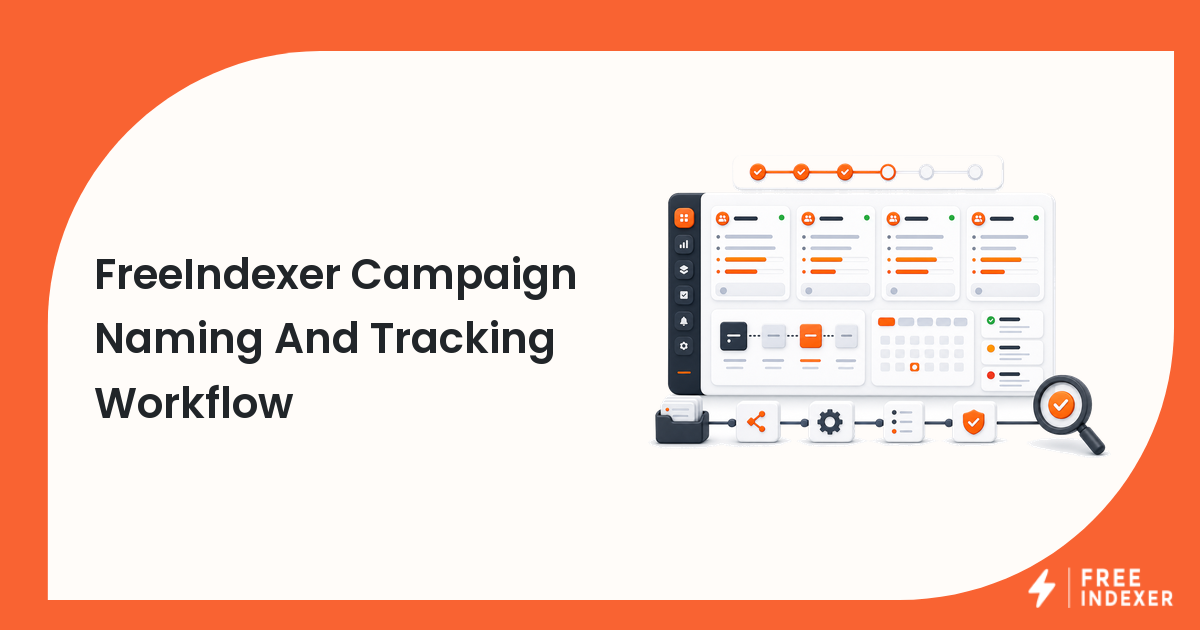
| Step | Check | Evidence To Capture | Next Action |
|---|---|---|---|
| 1 | Choose naming pattern | Site, cohort, purpose, month, and owner | Make campaign names understandable six months later. |
| 2 | Define fields | QA status, source, blocker, priority, submission date, review date | Capture the data needed for reporting. |
| 3 | Group URLs | Page type, client, campaign, refresh, or backlink source | Avoid mixing unrelated URL types. |
| 4 | Record exclusions | Reason and owner for rejected URLs | Keep the active campaign clean while preserving decisions. |
| 5 | Review outcomes | Crawl, indexation, traffic, or client evidence | Connect submission to follow-up without overclaiming. |
A useful tracker keeps the evidence and the conclusion separate. Record what the URL returned, what the tool reported, what changed, who owns the next action, and when the page should be reviewed again.
Worked Example
An agency names a campaign ClientA_ProductRefresh_Aug2026_P1 and includes fields for canonical URL, QA status, update reason, submission date, and review date. Two months later, the account manager can explain exactly what was submitted and why.
The point of the example is not the exact numbers. It is the sequence: verify the real page, classify the issue, make one defensible change, and preserve enough evidence to evaluate the result later.
Common Mistakes
- Naming campaigns
test,links, orbatch 3with no context. - Mixing backlink URLs, product pages, and migration URLs in one campaign.
- Leaving excluded URLs inside the active submission list.
- Tracking only the submission date and no follow-up evidence.
Where FreeIndexer Fits
FreeIndexer is the campaign execution layer. Clear naming and tracking make its records more useful for future audits and client updates.
Implementation Notes For Each Step
1. Choose naming pattern
Capture site, cohort, purpose, month, and owner before making a conclusion. Make campaign names understandable six months later.
Keep the evidence tied to the exact canonical URL and the date of the check. If the issue affects a shared template or URL pattern, record the pattern as well so the team fixes the system instead of repeating the same manual task.
2. Define fields
Capture qa status, source, blocker, priority, submission date, review date before making a conclusion. Capture the data needed for reporting.
Keep the evidence tied to the exact canonical URL and the date of the check. If the issue affects a shared template or URL pattern, record the pattern as well so the team fixes the system instead of repeating the same manual task.
3. Group URLs
Capture page type, client, campaign, refresh, or backlink source before making a conclusion. Avoid mixing unrelated URL types.
Keep the evidence tied to the exact canonical URL and the date of the check. If the issue affects a shared template or URL pattern, record the pattern as well so the team fixes the system instead of repeating the same manual task.
4. Record exclusions
Capture reason and owner for rejected urls before making a conclusion. Keep the active campaign clean while preserving decisions.
Keep the evidence tied to the exact canonical URL and the date of the check. If the issue affects a shared template or URL pattern, record the pattern as well so the team fixes the system instead of repeating the same manual task.
5. Review outcomes
Capture crawl, indexation, traffic, or client evidence before making a conclusion. Connect submission to follow-up without overclaiming.
Keep the evidence tied to the exact canonical URL and the date of the check. If the issue affects a shared template or URL pattern, record the pattern as well so the team fixes the system instead of repeating the same manual task.
Turn The Findings Into An Action Queue
A diagnostic result is useful only when it changes what the team does next. Move each URL into one of four clear queues:
- Ready: the URL is useful, canonical, public, technically accessible, and ready for submission or normal monitoring.
- Fix: the URL has a correctable technical, content, linking, rendering, or reporting problem with an assigned owner.
- Exclude: the URL is intentionally redirected, noindexed, removed, duplicate, private, or otherwise outside the indexing target set.
- Escalate: the issue affects infrastructure, templates, migrations, security controls, or a large URL cohort and needs engineering or product input.
For this topic, the release rule is: Name campaigns by cohort and purpose so future reporting is understandable without archaeology. Do not leave a URL in a vague pending state. Give it an owner, one next action, and a review date based on the evidence available.
Evidence Log To Keep
| Field | What To Record | Why It Matters |
|---|---|---|
| Canonical URL | The final normalized URL checked by the operator | Prevents variants and redirects from splitting the investigation. |
| Cohort | Page type, template, campaign, locale, or backlink group | Reveals whether the issue is isolated or systemic. |
| Evidence source | Live response, URL Inspection, crawl, log, sitemap, or provider record | Makes the conclusion reproducible. |
| Change made | The exact technical, content, link, or workflow update | Separates action from assumption. |
| Owner and review date | Who is responsible and when the URL will be checked again | Stops the queue from becoming passive reporting. |
Keep submission dates in their own field. A submitted URL has completed an operational step; it has not automatically completed crawling, indexation, ranking, traffic, or conversion milestones. That separation makes the report more accurate and makes failed outcomes easier to diagnose.
Final Action Checklist
- [ ] Choose naming pattern: Make campaign names understandable six months later.
- [ ] Define fields: Capture the data needed for reporting.
- [ ] Group URLs: Avoid mixing unrelated URL types.
- [ ] Record exclusions: Keep the active campaign clean while preserving decisions.
- [ ] Review outcomes: Connect submission to follow-up without overclaiming.
- [ ] Confirm the final URL and evidence date in the tracking sheet.
- [ ] Remove excluded or unresolved URLs from the active submission batch.
- [ ] Schedule one follow-up review instead of repeating untracked checks.
Primary Sources
FAQ
What should a campaign name include?
At minimum: site or client, cohort, purpose, and date window.
Should every client have the same fields?
Use a shared core set, then add campaign-specific fields where needed.
Can FreeIndexer replace a project tracker?
It can be the submission record, but many teams still keep richer QA and reporting fields in their workflow system.
Next Step
Name campaigns by cohort and purpose so future reporting is understandable without archaeology.
Keep the final report honest: document what was fixed, what was submitted, what evidence changed, and what still requires time or a separate SEO decision.